Submissions
Final Deliverables
Section titled “Final Deliverables”Team Submissions
Section titled “Team Submissions”One representative from each team will submit the final form. Decide who that will be ahead of time and provide the necessary information to them as soon as you have it! Our event blog promos require you to submit your works with very specific formatting to highlight all art and writing contributions equitably.
There is no benefit to submitting early. Submitting early does not guarantee an “early” promo day, as promo days are randomly assigned. Post-submission edits will be limited to critical changes, i.e. a missed sensitive topic content warning.
Your first submission should be your final submission!
Once a promo schedule has been finalized by the mods, it will be shared with all participants – remember to cheer on the other teams and share their works!
Examples of the promo posts are [available on our Tumblr](Below is a step-by-step guide to the submission form with screenshots.).
How to Submit
Section titled “How to Submit”A form will be emailed to current participants on October 18. Teams will have until October 31 to submit their works via this form.
Below is a step-by-step guide to the submission form with screenshots:
STEP 1: Select your Team and enter email addresses
Section titled “STEP 1: Select your Team and enter email addresses”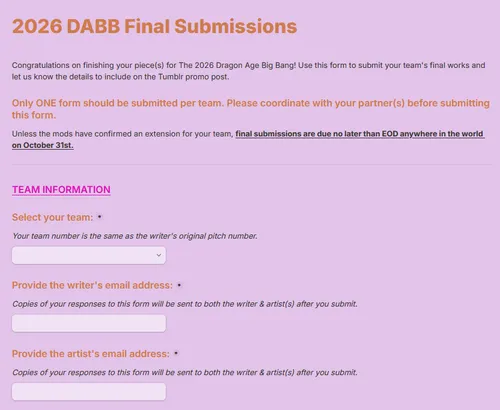
- Team numbers are the same as the writer’s original pitch number.
- If you are a Team of Three, a second artist email field will show.
STEP 2: Writer Name and Social Media
Section titled “STEP 2: Writer Name and Social Media”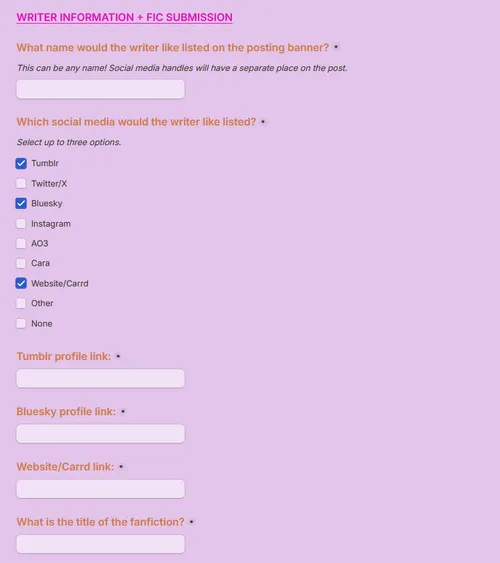
- Select up to three (3) social media profiles to feature. A link box will show for each site selected.
STEP 3: Fanfic Title, Ratings, and Content Warnings
Section titled “STEP 3: Fanfic Title, Ratings, and Content Warnings”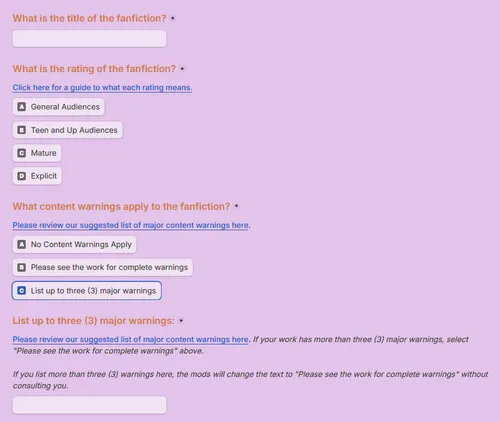
- Please review our suggested list of major content warnings here.
- There is space for a maximum of three (3) content warnings on the promo post. If the work has more than three warnings, select “Please see the work for complete warnings”.
STEP 4: Major Fandom(s), Main Pairing, Main Character(s), and Promo Summary
Section titled “STEP 4: Major Fandom(s), Main Pairing, Main Character(s), and Promo Summary”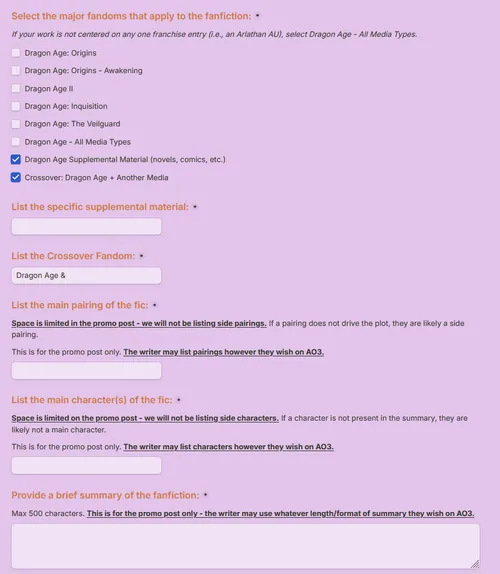
- Space is limited on the promo post - we will not list side pairings or characters. If a pairing does not drive the plot, they are likely a side pairing. If a character is not present in the summary, they likely do not need to be listed here.
- Max 500 characters for the summary.
- These details are for the promo post only. The writer may list/format the pairings, characters, and summary however they wish on AO3.
- If you select “Dragon Age Supplemental Material” or “Crossover: Dragon Age + Another Media”, you will be prompted to enter the specific details.
STEP 5: Collection Submission & Fic Link
Section titled “STEP 5: Collection Submission & Fic Link”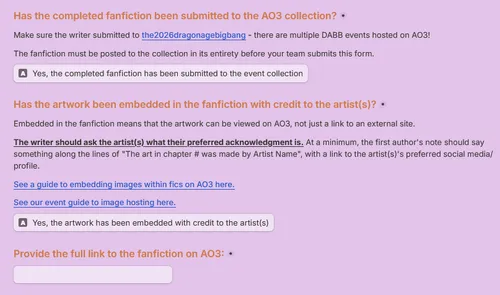
- Make sure the writer has submitted to this collection: the2026dragonagebigbang. There are multiple DABB events hosted on AO3!
- Artwork must be embedded in the fanfiction. This means that the artwork can be viewed on AO3, not just linked to an external site. See a tutorial on How to Embed Art in a Fic on AO3 here.
- The first author’s note must contain an acknowledgment of the artist(s). At minimum, this should be something along the lines of “The art in chapter # was made by Artist Name” with a link to the artist’s preferred social media/profile, but the writer should ask the artist(s) what their preferred acknowledgment is.
STEP 6: Artist Name and Social Media
Section titled “STEP 6: Artist Name and Social Media”
- Select up to three (3) social media profiles to feature. A link box will show for each site selected.
STEP 7: Main Artwork Links and Optional Title
Section titled “STEP 7: Main Artwork Links and Optional Title”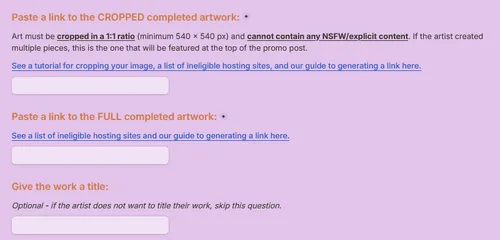
- Links must end in .png or .jpg. See our list of ineligible hosting sites and a guide to generating a link here.
- The artist must provide links to both a 1:1 square crop and the full artwork. The 1:1 square crop will be featured at the top of the promo post and cannot contain NSFW/explicit content. See a tutorial for cropping your image here.
STEP 8: Extra/Bonus Artwork Links
Section titled “STEP 8: Extra/Bonus Artwork Links”
- If the artist created multiple pieces and would like them featured on the promo post, provide links ending in .jpg or .png to the full artwork(s).
- Any extra pieces will be included under the cut of the promo post.
- For Teams of Three, the artist section will appear twice, so that both artists’ information and links can be entered.
STEP 9: Posting Banner Choice
Section titled “STEP 9: Posting Banner Choice”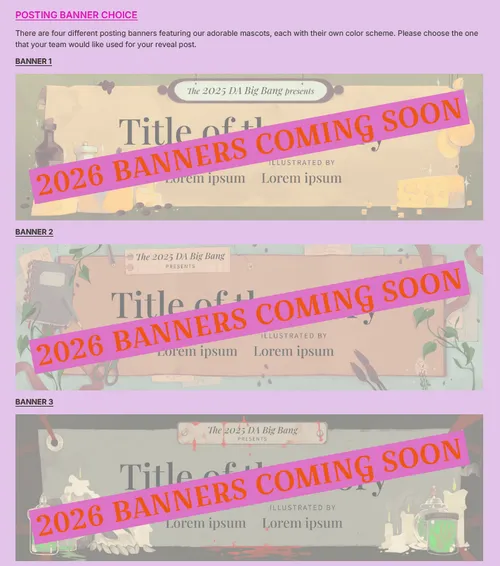
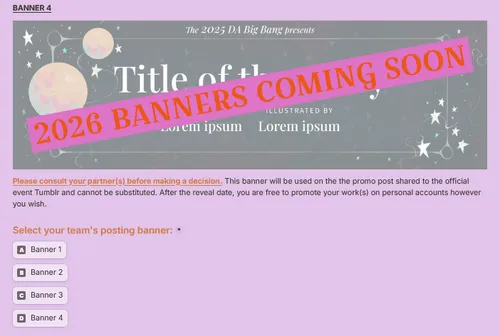
- The mods will supply a selection of banners featuring our adorable mascots. Full banner designs will be made available to participants prior to final submissions.
- Please consult your partner(s) before making a decision. This banner will be used on the official event promo post and cannot be substituted.
STEP 10: Submission Confirmation
Section titled “STEP 10: Submission Confirmation”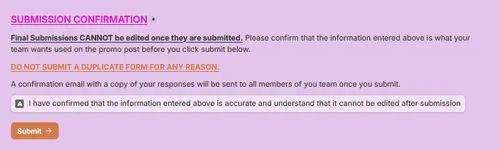
- Final submissions CANNOT be edited once they are submitted. Do not submit a duplicate form for any reason.
- If there is a critical error in your submission (i.e. a missed sensitive content warning), reach out to the mods via email or Discord.
- Non-critical edits/adjustments will NOT be accepted! Ensure the information entered is accurate before you submit.
STEP 11: Confirmation Page and Email
Section titled “STEP 11: Confirmation Page and Email”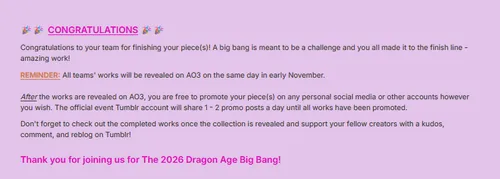
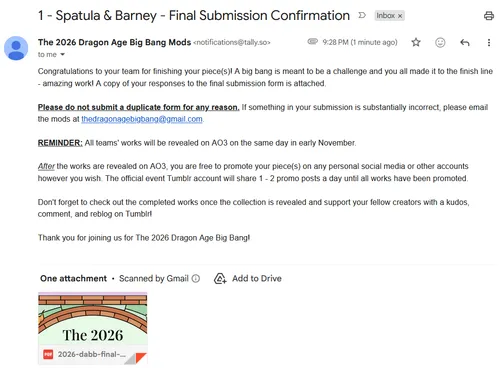
- If you see this confirmation page & receive this confirmation email, congratulations! You have successfully submitted your final work(s). The email will be sent to all members of your team.
- If you don’t see your confirmation email, check your spam folder. Confirmations come from notifications@tally.so and have the subject line: [Team Name] - Final Submission Confirmation